

Main Features You Get with Fotor AI Image Generator
How to use Fotor AI Image Generator?

Understanding Fotor AI Image Generator and Its Purpose
Fotor’s AI Landscape Generator is a web-based tool that takes a text description and outputs a landscape image. The interface is organized around a prompt, generate, refine, and export workflow, with user agency consisting of entering a text description and adjusting generation parameters and saving the output image.
Common workflow (input to output)
- Access the landscape generator and begin a new creation
You select “Make AI Landscapes” which moves you to the Fotor AI Image Generator interface to begin image generation.
- Enter the initial prompt (text description)
In a text box you enter a description of the landscape you desire (e.g. location, weather, time of day, atmosphere, and specific elements). This text serves as the primary prompt for what the tool should generate.
- Generate image based on the prompt
You then click a “Generate” button to generate a landscape based on your description.
- Refine the image using generation parameters
After generating, you can select a style and adjust other parameters such as aspect ratio, resolution, and lighting. This is the means by which you influence the formatting and aesthetic of the image to more closely achieve your desired outcome.
- Iterate if necessary
If the output isn’t to your liking, commonly you would adjust your prompt (e.g. make it more specific, less ambiguous, or rephrase it) and/or generation parameters, and generate again. This process is the standard method by which users influence the tool to achieve a desired outcome.
- Save the generated image
Finally, when satisfied, you select an option to download your generated AI landscape.
Advantages and Disadvantages of Fotor AI Image Generator
- Straightforward and available for the majority of users
- Fast results and multiple styles
- Integrated editor and designer
- Great for everyday and social media designs
- No watermark on free tier (mostly)
- Somewhat difficult to control, and sometimes inconsistent
- Free and basic plans have limitations
- Not ideal for professional-grade work
- Requires occasional refinement
Fotor AI Image Generator Comparison
| Tool | Primary Focus | AI Image Capabilities | Other AI Tools | Best For |
| Fotor | AI image generator & photo editing | Generates images from text prompts; also enhances and edits images using AI. | Includes photo-editing AI like background removal and object erasing. | Quick image creation and basic editing in one place. |
| FlexClip | Online video creation/editor | Offers AI image generation for graphics and visuals. | AI video tools like text-to-video, text-to-speech, and subtitle automation. | Users who want simple video and visuals in one workflow. |
| VEED | AI-powered video editor | Supports AI image generation as part of video creation. | Extensive AI video features: avatars, auto subtitles, text-to-video, voice tools. | Creators focused on producing and editing videos with AI. |
| Magic Studio | AI design & image editing suite | Creates images from text descriptions quickly. | Includes background generator, image edit tools, mockup templates. | Visual designers needing creative images and edits. |
Practical Applications of Fotor AI Image Generator
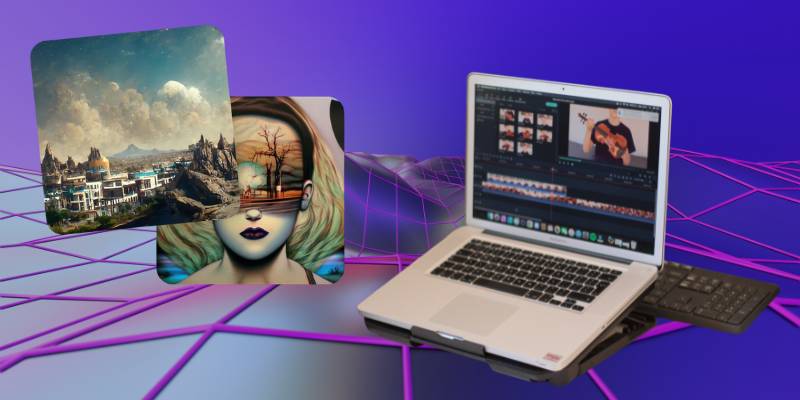
In this article, I will review the Fotor, an AI-based image creation and editing tool. This is a versatile tool that can be used for a variety of purposes, and I will cover when and how you can use Fotor based on how often you plan to use the tool and the scope of your projects. In this review, I will cover casual, daily, and commercial use of Fotor.
1. Ad hoc: Rarely Used For Creativity
Common consumers: Individuals, students, hobbyists, small business owners
Use: Occasional or one time
Sophistication: Low to medium
At the casual user level, Fotor serves as a standalone design tool. Here are some reasons why people turn to Fotor:
- Social media posts
- Illustrations for blogs
- Party invites or flyers
- Simple marketing graphics
- Personal artistic exploration
This is where Fotor comes in — minimizing the need for any design tools. With AI-powered image creation, templates, and straightforward editors, you can go from idea to image in an hour or so. The process is pretty sequential:
- Choose prompt or template
- This is an image generated and optionally customized.
- Export for quick access
Little to no system integration. Fotor offers a self-contained service that prioritizes ease of use, speed and ubiquity over advanced customization and automation.
2. Regular Use: Integrated Creative Workflow Component
Common users: Content creators, marketers, e-commerce sellers, freelancers
Frequency of use: Weekly or daily
Level of difficulty: Medium
As for frequent users, Fotor has become part of a systematic content creation process. Besides one-off creation, Fotor is used to fuel long-term production cycles like:
- Content calendars for social media
- Changes to product listings
- Publish blog and newsletter
- The ad men
In this way, Fotor helps to streamline your workflow by:
- To visualize ideas quickly
- Fast iteration of visual versions
- Enabling template reuse with proper branding
- Consistency batch editing
Many customers integrate Fotor with other services, like a CMS, social media scheduling app, or shopping cart interface. This process typically repeats itself:
- Content themes
- Let’s try a few different versions
- Filter results
- Cross-channel deployment
In this context, Fotor serves more as an ongoing efficiency enabler, speeding up the process and minimizing the need for design teams to get involved in every visual content creation.
3. Large-Scale Use: High-Volume and Operational Integration
Who: Agencies, marketing teams, digital publishers, big e-commerce
How often: Regular, heavy usage
Complexity: Advanced
For bigger applications, Fotor can be applied to mass produce content. Common applications include:
- Managing large quantities of image variants of a single product
- Creative production for campaigns
- A/B testing resources
- Content distribution across multiple platforms
- Fast visual ideation prototyping
At this level, Fotor is incorporated into complex production workflows. For example, companies might use Fotor to:
- First ideas for a draft we’ll share with the team
- Creating different visual variations for performance testing
- Leveraging design support to fill gaps when your design team is at maximum capacity
The process is usually collaborative and iterative:
- Developing a marketing strategy and writing a creative brief
- Computer-generated asset creation
- Content review and editing
- The support for cross-channel deployment.
- Optimize & repeat
Fotor stops being just a generator; it starts being a creative multiplier. It’s mainly used to maximize production time and output. Sure, it’s not exactly going to take the place of Adobe Creative Suite for serious branding initiatives, but it does exist as a production tool within a much larger marketing stack.
Closing Thoughts on Fotor AI Image Generator
Overall, Fotor’s AI-powered image generator is another generative AI that falls under the group of text-to-image applications. As the number of requests for automated content and the application of generative AI grew, the functionalities of Fotor’s AI generator weren’t a surprise. It’s a web-based application with an intuitive interface that offers a straightforward design process with editing options. A growing number of tools offer a range of functionalities and AI-powered tools for non-professional designers to produce their content.
If you are searching for professional software, Fotor isn’t the best option.
Fotor’s AI image generator offers convenient design and editing processes from a single interface.


