

Core Features and Capabilities of Fliki AI Avatar Generator
How to use Fliki AI Avatar Generator?

Fliki AI Avatar Generator Explained: A Quick Overview
With Fliki you can easily create spoken and on-screen content using AI. The idea is that to create a high-quality spoken or on-screen content you would need a good microphone, you would need to know how to edit your video, and most importantly you would need a lot of time to find and place all the media into your content.
Most of our users complain about not being able to have a consistent voice or presenter in their content, or not being able to find their way around an editing timeline, and not being able to find and control the audio, the visuals, and the transitions in a video editing software.
There are some tools and software that offer a basic “Slide to Video” option, where you have little control over anything and some tools offer a fully-fledged video editing software where you would need to have a lot of knowledge about editing. We fill in the gap for the users who want a professional outcome but do not know a lot about editing.
In Fliki you start with your script, which is then converted into scenes and we automatically generate an AI voice or avatar for you. You also do not need a microphone or a camera to record your audio or video. We also suggest media to your script so all the relevant stock images or videos are placed in your content based on the text of each scene.
You can also edit your scenes one by one so changing the text, media, voice, and the duration of each scene is as easy as abc. Summing it all up, we make it easier for our users to create a spoken or video content based on a script.
Fliki AI Avatar Generator Pros and Cons
- Easier Content Production
- Integrated Workflow
- Automated Visual Suggestions
- Accessibility for Non-Specialists
- Multiple AI Voices and Languages Pros
- Less Manual Precision
- Template- and suggestion-based
- Voice and Avatar Realism Limitations
- Extent of Advanced Capabilities
Fliki AI Avatar Generator Comparison
| Feature / Tool | Fliki | Edimakor | DeeVid AI | MindVideo |
| Primary Focus | Text → video + AI avatars with voice and stock media suggestions | AI video generator + avatar features as part of broader editing suite | Quick text/image → video with realistic avatars/voices | All-in-one AI video & media creation (video, images, audio) |
| Avatar Generation | Yes – 70+ avatars & avatar videos from text/scripts | Yes – AI avatar included among features | Yes – lifelike presenter-style videos | Yes – upload photo → custom talking avatar |
| Text-to-Speech / Voice | Large voice library with clones & multilingual support | Text-to-speech included | Multi-language voice options with credits model | Built-in TTS for avatars & videos |
| Input Types | Script/text; PPT; blog/URL → video | Text, clips, images → video & editing | Text, images, video prompts → avatar/video | Text, images, existing video clips |
| Ease of Use | Storyboard UI, less technical complexity | Web-based editor with many AI tools | Minimal studio workflow, fast generation | Single workspace for video/image/audio |
| Advanced Editing | Basic scene editing & auto media suggestions | Broad AI editing features (face swap, clips, subtitles) | Mainly generation; less timeline editing | AI editing (object removal, effects) |
| Creative Effects | Voice cloning, auto visuals | Standard edit effects and generators | Focus on prompt-to-video speed | Multiple AI video effects & tools |
| Free Access | Free plan with limits | Free credits for AI features | Free credits/trial available | Free credits & daily free tools |
| Best For | Script-based video/voice content and avatar narrators | Creators who want broad AI editing + avatar generation | Fast avatar videos from simple inputs | Multi-format content creators needing broader media tools |
How Fliki AI Avatar Generator Can Be Used
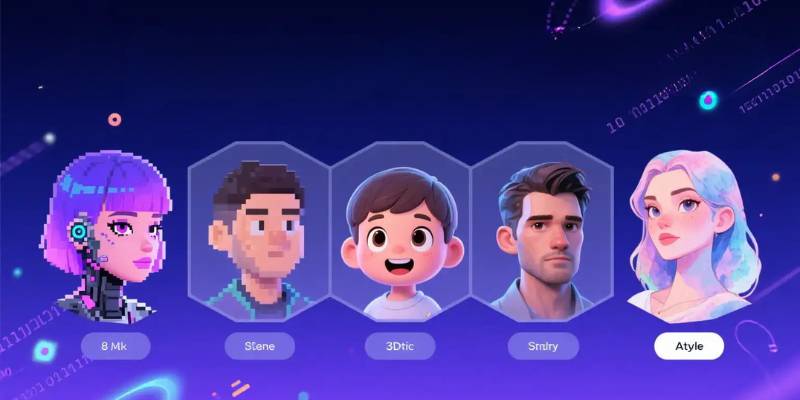
Example Uses for Fliki
Like any tool, Fliki can be utilized in various degrees, both in terms of frequency and depth. How useful Fliki is depends on whether you require one-off videos, regular videos, or a large volume of videos. Here’s a rundown of where Fliki sits on the spectrum.
1. Casual, infrequent use.
Target users: Individuals (freelancers, students, entrepreneurs, etc.) and teams that require occasional video making.
Common use cases: Explainers, corporate videos, social media clips, tutorials.
For one-off projects, Fliki serves as an alternative to self-recording and editing. Someone can copy/paste a script, choose an avatar/voice, check the auto-generated scenes, and export a completed video with very little effort. No camera or microphone is needed. No editing skills are necessary.
In this context, Fliki serves as a utility. It lowers the barrier to entry when video is necessary but isn’t a primary function. The caveat here is that users will likely need to rely on templates and auto-generated imagery, because the need for customization isn’t critical for isolated projects.
2. Frequent Usage
Target users: Content marketers, educators, YouTubers, HR departments, consultants that want to publish a video on a weekly or monthly basis.
Common use cases: Social content, course content, training videos, product information.
In the case of regular content production, Fliki integrates well with existing production processes. Here, it is possible to use templates, company-wide themes, as well as same avatars to maintain consistency. Plus, text-to-speech conversions simplify regular content adaptation processes, such as the regular transformation of blog posts to video content.
Here, speed and reliability are of the essence. Fliki’s superpower allows for quicker delivery than a typical production. Nevertheless, as an enterprise’s needs evolve and they require more diverse content, they might reach a ceiling when it comes to editing capabilities. Some may use Fliki in tandem with another editing suite.
3. Widespread Adoption
Target users: This tool is ideal for agencies, corporate training teams, media companies, and anyone creating large volumes of content or content in different languages.
Common use cases: Multi-lingual training libraries, massive content libraries, marketing content localisation, product knowledge bases.
If you have to produce a lot of videos, Fliki also allows for a more factory model of video production. In addition to the script, teams can also unify the tone and the voice and even the avatar presenters. There are also computer-generated voices in several languages, which means companies could create videos in any market without needing to find a narrator.
But at this scale, speed, volume and reliability are the advantages. You don’t need a presenter in a studio anymore. However, if you have complex branding requirements or a high-end cinematic look and feel, you may require some other tools to give you more control over your visual communications.
The Overall Fit Across Levels:
- For the casual user, Fliki makes it easier.
- It helps frequent users to simplify repetitive workflow.
- It can be used for scalable, standardized content creation for bigger teams.
Overall, I’d say that Fliki is best used if what you need is a quick, scripted, templated video and not something more advanced that requires a lot of editing.
Final Thoughts on Fliki AI Avatar Generator
Fliki is ideal for anyone who wants to turn text into videos starring an avatar but doesn’t want to deal with cameras, studios or editing software. The platform is geared toward people who need to get the job done as quickly as possible, like marketers, teachers, entrepreneurs or small business owners who may need to create consistent content. If you’re already writing blog posts, tutorials, product descriptions or similar, then you may want to give Fliki a try. This will cut down your time spent in production significantly.
If you need to create fast, uniform content on a regular basis, or perhaps need to speak in different languages without having to find a voice actor, then Fliki is a great choice. In all these scenarios, Fliki works well as a production line rather than a full editing suite.
However, if you need something with professional editing capabilities, greater control over the timeline or human presenters, then you may want to look elsewhere. For example, if you need motion graphics, scenes or a lot of post-production editing, then you may want to consider a different software. In these cases, Fliki could be great for creating a first draft, but not necessarily your final video.
In summary, if technical ease and speed are the name of the game for you, then give Fliki a shot. However, if editing capabilities and depth of production are more of a priority for you than speed, then consider another option.


