

Writing used to be easy. You had a thought. A blank page. Maybe a cooling cup of coffee next to you. And you wrote. These days it’s a little different. With AI being able to write entire paragraphs in a matter of seconds, it’s no surprise that many copywriters have a tiny little voice in their heads: “But how do I make sure this is obviously written by a human?” And this is how the AI detection debate begins.
The Quiet Question Every Copywriter Is Asking
Have you ever written a piece of copy and thought to yourself… ‘Wait. Would people think this was written by a robot?’ I know. It sounds ridiculous. But just a few years ago, we didn’t have to ask that question. These days we do. And it’s a question that comes up in discussions between writers, editors and clients more often than you’d expect. Because the reality is: Now that AI can write half decent copy, the issue of trust has become more important than ever.
Authenticity Still Matters
You can spot generic copy a mile off. It’s like microwaved coffee: it might still taste okay but nobody really wants it. Great copywriting is about personality. About nuances. About having a bit of an edge. Those human imperfections matter. AI detection helps preserve those imperfections. It helps keep things authentic. It keeps things fair.
Not Fear, Just Awareness
Let’s be clear: most copywriters are not trying to scam the system. We just want to write copy that feels human. That feels authentic. That feels worth reading. Detection methods simply encourage us to be honest. And, to be honest, that’s probably a good thing.


What Are AI Generated Content Detection Tools?
AI content detection tools get a lot of intrigue thrown their way. Some people who haven’t seen these tools in action might even imagine some sort of writing lie detector test. I know, it sounds like a bad sci-fi movie, but it’s really not that exciting. In the early days of AI content, as it started to appear in blog posts, emails, and website copy, some of the editors and clients we work with asked the question: How can we tell what’s real and what’s not? And just like that, detection tools became a thing.
What Are AI Content Detection Tools?
A Simple Analogy If you’ve ever read a piece of content and thought to yourself, I wonder if a human wrote this or a machine, then you know the function of AI content detection tools. Essentially, they read a piece of copy and check for tells that the content was written by a machine. So, in a sense, it’s just pattern recognition, but I encourage you to think of it as a sort of digital detective work.

How AI Content Detection Tools Work
In a nutshell, AI content detection tools evaluate a piece of copy based on its cadence, word choice, and paragraph transitions, among other factors. In general, human writing tends to be a bit more unpredictable and meandering than machine writing. For instance, we might start one sentence, then abandon it halfway through for a different thought. We might repeat ourselves, or use different words to mean the same thing. Machine writing, on the other hand, tends to be a bit more straightforward and vanilla. So, when a detection tool evaluates a piece of content, it’s essentially looking at these and other factors to make an educated guess about whether the content skewes more toward the human or machine end of the spectrum.
Why AI Content Detection Tools Matter to Writers
Now, before you get any ideas that we’re out to get you, let me put your mind at ease. The purpose of AI content detection tools isn’t to catch writers in the act or anything like that. The truth is, most writers want their content to sound as human as possible. So, if you’re using an AI content tool to generate ideas or even entire first drafts, you want the output to sound a little imperfect and rough around the edges. Because, let’s be honest, perfect content can sound a little … well, shady.
Best AI Generated Content Detection Tools for Copywriting Creators
1. CopyLeaks
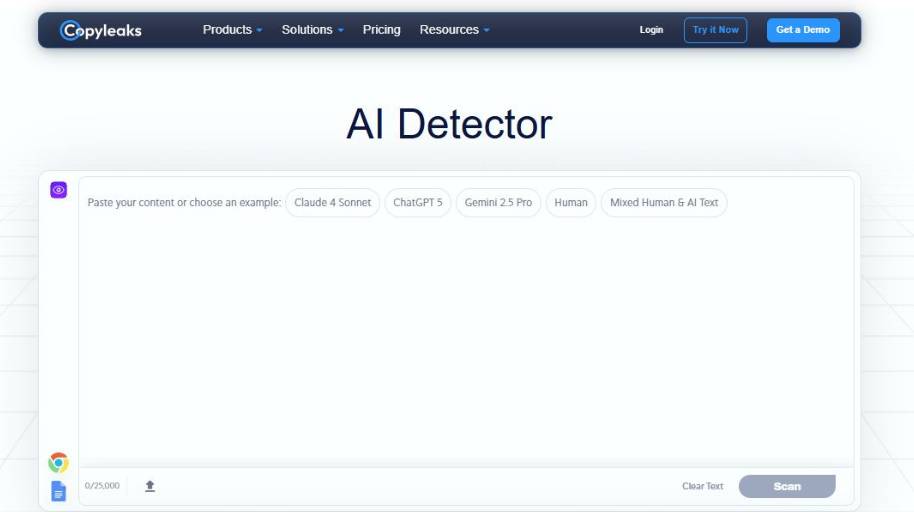
What does the Copyleaks AI Content Detector do? Simply put, the AI Content Detector tries to determine whether a piece of content is written by a human or AI. You paste in your content, press a button, and the tool runs a scan to see if your content contains patterns and other statistical markers associated with AI-generated content. This tool is most commonly used in academic and professional settings where original work is a must.
- AI Probability Score This is exactly what it sounds like. The tool gives you a score that shows how likely it is that your content was written by AI. This gives you a general idea of how likely it is that the content was not original.
- Sentence-level Detection The tool goes through your content and flags sentences that you may want to review because they seem likely to have been written by AI. It’s then up to you to decide if the sentence does indeed sound unnatural.
- Pattern & Language Analysis The AI Content Detector analyzes things like grammar, word density, and cadence to check if your content contains other characteristics common to AI content.
- Multilingual Detection The AI Content Detector can detect AI content in dozens of different languages. This is useful if you work on a global team or if your business publishes content in multiple languages.
- Detailed Detection Insights In addition to detecting sentences that may have been written by AI, the tool can also give you more detailed feedback. For example, it might tell you that it flagged a sentence because it contains phrases and patterns that commonly appear in AI content.
Conclusion
In general, I found that using the AI Content Detector was a bit like having a mildly paranoid editor peering over my shoulder as I work. It’s mostly helpful but sometimes a bit too helpful and generally points you in the right direction. I appreciate that it highlights individual sentences rather than giving you a general score and leaving you to figure out what to do with it. It’s not perfect? No AI detection tool is. But if you’re a writer who wants a second opinion on your work, this tool is a good, if imperfect, resource.
2. GPTZero
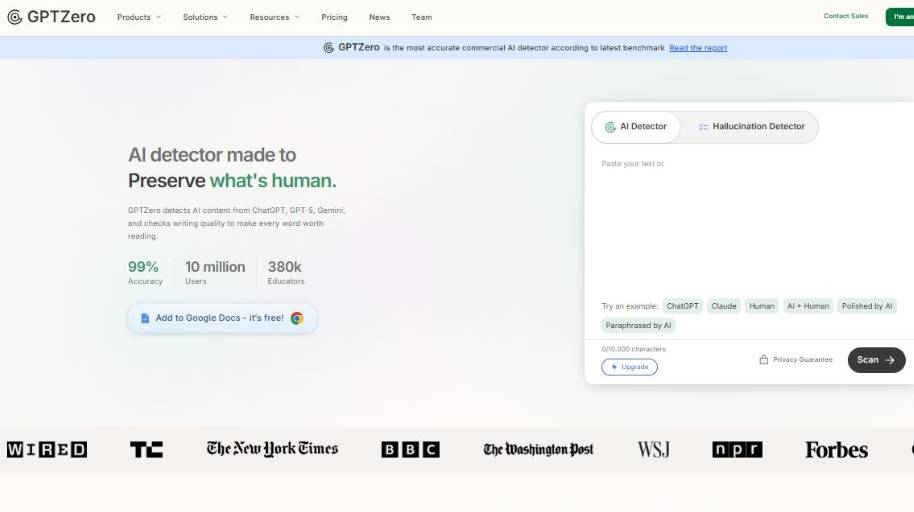
GPTZero is an AI detector that helps you determine whether the text you have is written by a human or by an AI. All you need to do is copy-paste the content into the tool, and it will check the text based on sentence structure, fluency, and other factors to determine the probability of the text being written by AI. GPTZero is commonly used by teachers, editors, and writers to verify the originality of a text before it’s published or graded.
What does GPTZero do?
Here are some of the key features of GPTZero:
- Detects AI-generated probability: Once you copy-paste your content into the tool, it will analyze it and show you the probability of the entire document being written by AI.
- Sentence-level analysis: If a few sentences in your text seem AI-written, the tool will highlight them, so you don’t need to rewrite the entire content.
- Trained AI detection model: GPTZero uses a multi-layer deep learning model that has been trained on both human-written and AI-generated content to detect AI-written patterns.
- Mixed content detection: If your document contains a mix of both human-written and AI-generated content, this tool can detect and estimate the percentage of both types of content.
- Supports multiple file formats: You can either copy-paste the content into the tool or upload your documents and PDFs for verification. You can also check multiple documents at once.
Verdict
The AI detection experience with GPTZero is a lot like asking an overcautious editor if your draft seems legit. Not only does the tool scream, “Looks like AI to me,” but it also tells you which part of the content seems fishy so you can edit it accordingly. I like that. Of course, like all other tools out there, it’s not 100 percent accurate, but you can use it as a reference point. If you’re a writer looking to verify a draft, this is a good starting point.
3. Galaxy.ai
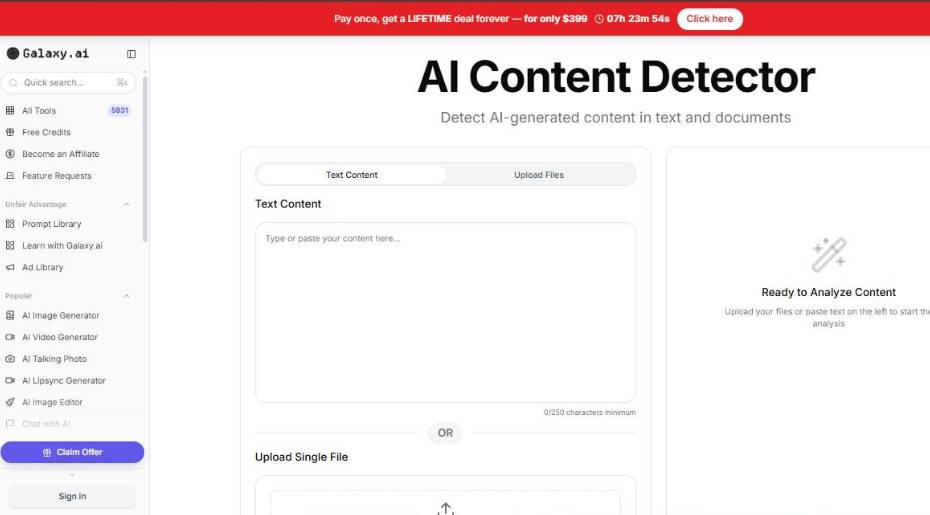
AI Content Detector by Galaxy.ai is a tool that checks whether a text has been created by a human or an AI. You copy-paste your text into a box and press a button, and the tool checks the language, structure, and common AI signs in the text. The purpose is quite clear: to give content creators an option to check the authenticity of the text before pressing the “Publish” button.
Main Features
- AI Pattern Analysis: the tool analyzes the writing patterns, structure, and language signals common for AI-generated content. It’s looking for a statistical signature of the text.
- Instant Text Scanning: you copy-paste your text into the tool, and it immediately scans it. It’s convenient if you need to check a few articles or different versions of your draft.
- Probability-Based Results: instead of a direct answer about whether your text was written by a human or an AI, the tool shows the probability of it being generated by an AI. I think that’s a more realistic approach since nothing is 100% one way or the other in the content.
- Simple Web Interface: it’s simple, nothing fancy. You copy-paste your text and press a button. That’s it. I guess it’s convenient if you don’t want to spend your time configuring the tool.
Conclusion
I’m using this tool the same way I’d ask my cautious friend whether they think the text was generated by an AI. Sometimes they confirm my thoughts, sometimes they make me re-read the sentence and think, “Yeah, it does sound a bit artificial”. I appreciate the simplicity of the tool: it does its job without any additional features. Of course, it won’t replace a human’s opinion, but it can serve as one of the tools you use before publishing your article.
4. Ace Essay
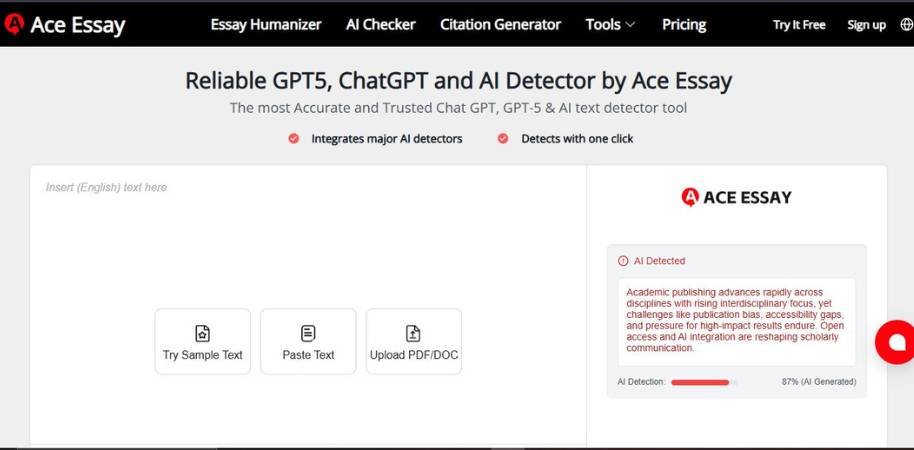
The AceEssay AI detector is a simple tool to see if your text appears to be written by a human or not. You copy your text, press the button, and the tool will analyze your writing style, sentences, and how fluent your text is. Then, it will provide you with a score on how probable it is that your text was written by an AI tool. This is useful for anyone who needs to verify the originality of a text quickly, be it a student, a writer, or an editor.
Key Features
- Probability score: Rather than providing a binary answer, the tool will estimate the probability that a text was written by an AI tool.
- Sentence suggestions: The tool may suggest that you change some sentences that sound too robotic. This is useful, as you might only need to rewrite a sentence or two instead of an entire text.
- Style and language analysis: The AI detector analyzes the style and language of your text to determine if it was written by a human or not.
- Fast online checker: The tool doesn’t require a download or installation. Simply copy your text, press a button, and voila, the tool will return the results fairly quickly. This is useful if you want to compare different versions of a text.
My Verdict
The AI detector tool feels like asking someone to read through your text and tell you if it appears authentic or not. You may not agree with all the suggestions that the tool makes, but that doesn’t mean that the tool isn’t useful. I like the minimalism of the tool and the fact that it doesn’t confound you with too many features. If you need a quick test to verify if your text sounds authentic, this tool does a great job.
5. Phrasly AI
Phrasly offers an AI detector tool that’ll let you know whether your content seems to be written by a human or an AI. You can paste your content in the detector, and it’ll analyze the predictability of your language, syntax, and vocabulary. This tool is designed to help writers, students, and editors to figure out whether their content may raise alarms in a society that is aware of AI.
- AI Probability Score: The tool will scan your content and will give you an estimated probability whether your content is AI-written or not. You should understand that the probability is more of an educated guess, and not a “guilty or not guilty” verdict.
- Sentence Highlighting: The detector will potentially highlight some of your sentences that are AI-written, so you can identify portions of your content that may sound unnatural or too formal.
- Pattern & Language Analysis: The tool will scan your writing style, vocabulary, and patterns commonly found in AI-written content.
- Fast and Simple Paste-and-Scan Test: The detector is quick and simple to use. There is no need to set anything up, paste your content, do the scan, and you’ll have the results in a matter of seconds.
Conclusion
I personally feel that using this tool is like showing your content to a friend that is quite picky with your writing. They may say “this text is OK.” Or they may say “I’m not sure about this sentence.” I like that the tool is fast and simple, and that’s what writers like. Although this tool is not a replacement for a good content editor, it’s perfect for doing a gut-check on your content before you hit that publish button.
6. AITextHumanize
AI Text Humanize has a tool called AI content detector. This tool determines whether a text is written by a human or not. All you need to do is copy your text and place it in the tool. The tool then checks for language, sentence and other statistical patterns that are usually found in AI generated texts. This tool can be used by anyone to verify the credibility of their texts before publishing. The tool is useful for writers, editors and students.
- AI Detection Score The tool calculates the probability of the text being generated by AI. It doesn’t necessarily tell if the text is written by a human or not but gives you a probability. I think this is fine because nothing is black and white in this world.
- Sentence Level Signs Some sentences are highlighted that seem too predictable to be written by humans. This feature helps you determine which sentences need to be rewritten.
- Pattern Language Analyser The tool checks the language patterns and sentence structures to determine if they are generated by AI or not.
- One Click Paste Scan The tool is very simple to use, you just need to paste your text and then click on the scan button. I love the simplicity of the tool that scans your text in a second.
My Final Verdict
This tool is like taking a second opinion on your text from an experienced editor. The tool sometimes agrees with you and sometimes suggests you to paraphrase a sentence or two. I like how the tool is simple and fast. You don’t need to wait for hours to get a review back. This tool isn’t the ultimate writing tool but comes in handy when you need a second opinion.
7. Rephrasy
The AI content detector in Rephrasy is a tool that determines the probability of a given text being written by a human or a machine. You insert your text into the detector, and it calculates how probable it is that your text was written by AI, based on the style, the structure, and the predictability of your writing. The purpose of the detector is to provide you (as a writer or an editor) with a rough estimate of whether your text may raise any red flags regarding its authenticity.
Main Features
- AI probability score: The detector analyzes the text and calculates the probability of it being generated by AI. It’s a score rather than a yes or no answer.
- Sentence Highlighting: Some sentences are being highlighted because they seem too structured or predictable. This allows you to easily identify parts of your texts that might be suspicious.
- Style Detection: The detector identifies patterns within your language style, structure, and syntax, to identify traces that are commonly found in AI generated texts.
- Copy-Paste Interface: You copy your text, paste it into the detector, and push a button. There’s no need for any setup or registration.
My Verdict
The experience of using the detector is similar to asking a pedantic editor to read through your text and highlight the parts that sound too good to be true. It sometimes reaffirms what you suspected anyway and sometimes makes you rephrase an awkwardly formal sentence. I generally like simple solutions, and this one is mostly like that. Don’t expect it to replace your common sense, but it doesn’t hurt to have an additional safety net before you hit the “publish” button.
8. WriterBuddy
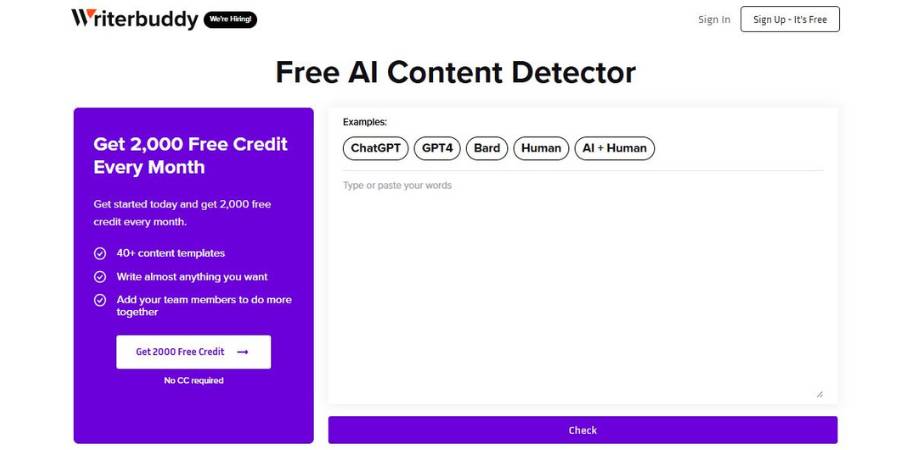
WriterBuddy’s AI content detector is a tool that attempts to determine if a given text has been written by a human or an AI. You input the text into the tool, and the tool will try to determine if the text has been written by a human or an AI based on its style, grammar, and predictability of the words. As you might guess, this tool is intended for writers, bloggers, and editors who want to perform a “sanity check” before posting some content on the Internet.
Main Features
- AI Probability Score: This is the score the tool gives to a text to predict the probability that the text has been written by an AI tool. So, it isn’t really a yes or no answer, it’s more like a maybe.
- Sentence-Level Detection: The tool will highlight the sentences in the text that sound too structured or are likely to have been written by a machine. So, if the tool detects a sentence that might have been written by a machine, it will highlight that sentence.
- Language Pattern Analysis: This is the analysis of the text that the tool performs to predict the likelihood of a text having been written by a machine. The tool performs this analysis by looking for patterns in the text, such as sentence length and the repetition of certain words.
- Quick Paste-and-Scan: The tool is quite fast. You can paste the text into the tool and get a result within a few seconds. That’s quite convenient if you’re editing multiple drafts.
Conclusion
It’s quite interesting to use the AI content detector tool. Sometimes it confirms your suspicion about a sentence that you thought sounded a bit too structured. Other times, it says it thinks the text has been written by a human. I like how the tool is fast and simple. No tool is perfect, but using it as a quick-and-simple “pre-publish” test isn’t a bad idea.
9. GPTKit
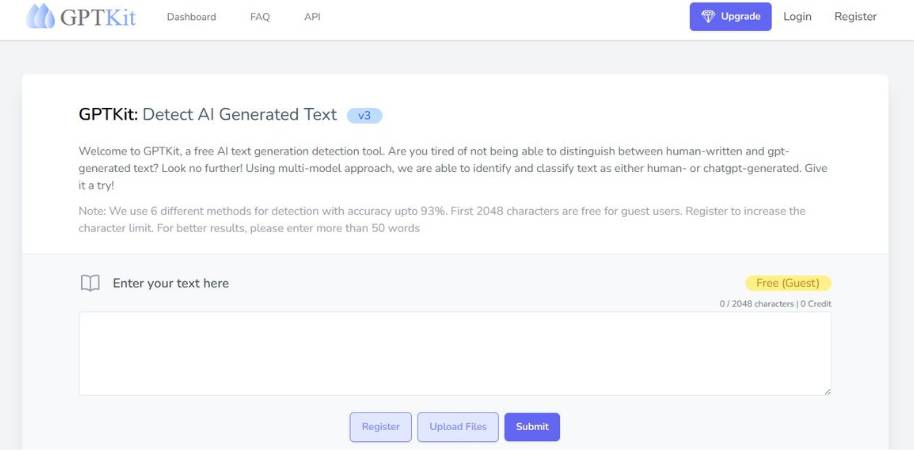
GPTKit is an AI content detector tool that can be used to detect whether a text is written by a human or is AI-generated. You can copy and paste the content into the GPTKit tool to check for any linguistic and statistical patterns in the text that are commonly found in content generated by AI tools. It is an ideal tool for anyone, be it writers, editors, or teachers, to verify the authenticity of a text quickly before using it.
Key Features of GPTKit
- Multi-Model Detection System This AI content detector tool uses a combination of AI models to check for generated content in a piece of text.
- Human vs AI Probability Score The tool provides you with a probability score of the likelihood of a particular piece of text being human-generated or AI-generated.
- Sentence-Level Analysis The tool also analyzes each sentence in a text to identify if any sentence is too predictable or too AI-like.
- Fast Content Scan GPTKit tool can quickly scan a text and provide the result in a matter of seconds.
Final Thoughts about GPTKit
Overall, using the GPTKit tool is like having another person to review your content. It either tells you that a particular sentence sounds awkward or there is nothing wrong with it. I love the fact that it uses a multi-model detection system because I do not have to rely on just one model for detecting AI-generated content. Although the tool is not 100% accurate (no AI content detector tool can claim that they are 100% accurate), it is a great tool for detecting AI-generated content quickly.
Top AI Generated Content Detection Tools for Copywriting Creators
Copywriters often discuss detectors with the same fervor as photographers discussing cameras. It’s a topic of endless debate. Some enthusiastically endorse one particular method or another, while others dismissively claim that half the detectors out there are guessing, anyway. Reality, as always, rests somewhere in between. A few detectors are actually quite good, as long as you have reasonable expectations about how they work. Let’s break down the most common types of detectors.
The ones that focus on language patterns.
Most of these detectors focus on sentence structure, word choice, and the overall predictability of the writing. If the language seems a bit too perfect, the detector alerts you to potential trouble. There’s nothing wrong with that. Most humans don’t write perfect copy.
The ones that identify suspect copy.
The detectors that are truly useful show you which sentences are suspect. That’s important. When a detector calls out a specific sentence, you read it and say, “Wait a minute. That sentence does sound pretty forced.” Then you rewrite it.
The ones that balance AI and human language.
Ideally, a detector will know that human writing is often imperfect. Copywriters often reuse the same words. We leap from one idea to another, and our tone often shifts mid-stream. That’s just how it is. The best detectors take that into account.
Best Practices for Using AI Detection Tools in Copywriting Workflows
Sure, these tools can be a part of your copywriting process, but don’t let them dominate. Treat them as a second opinion. They can be valuable. Sometimes perceptive. Sometimes melodramatic. You just have to know how to work with them without letting them destroy your confidence.
Use Them as a Double-Check
The most practical use of any detector is to use it as a gut check when you’re editing your first draft. If a sentence or paragraph is highlighted, step back for a moment to review it. Does it sound awkward? Overly refined? Maybe the tool is right. Maybe it’s being hypercritical. You, the writer, will always know your own voice better than any algorithm.
Edit With Your Human Voice
If your writing seems too mechanical, humanize it by breaking up long sentences. Add in a personal anecdote. One thing about human writers is that we tend to go off on tangents. We repeat ourselves. We shift our tone midstream. That’s just humanity seeping into our writing.
Don’t Chase a Perfect Score
The problem with “perfect” writing is that it often sounds a bit … dead. So embrace a little “bad” writing. Because that’s usually where your personality will live.
Conclusion: Balancing AI Assistance and Authentic Human Copywriting
Writing has always changed. Typewriters became laptops, spell check emerged and now AI is knocking on the writing desk. Some writers embrace it and others are skeptical. Both are okay. Fundamentally, copywriting is still human to human.
Let AI Help
If it makes the process faster, whether it’s the idea generation, planning or even just getting over the blank page hurdle. There’s no harm in that. There are many writers who use prompts to get going. It’s what happens after the first draft that counts.
Save the Humanity
Ultimately, it’s the tone, personality, and minor flaws that readers will notice and engage with. A slightly too-long sentence or an opinionated phrase is often more trusted than a perfectly edited paragraph.
Maintain the Balance
Ultimately, the middle ground is the perfect solution. Allow technology to enable you but not replace you. Leave the bulk of the work to the machines but allow your personality, nuances and intuition to lead. There, the value of copy will remain.


