

Core Features and Capabilities of Twixify AI Text Humanizer
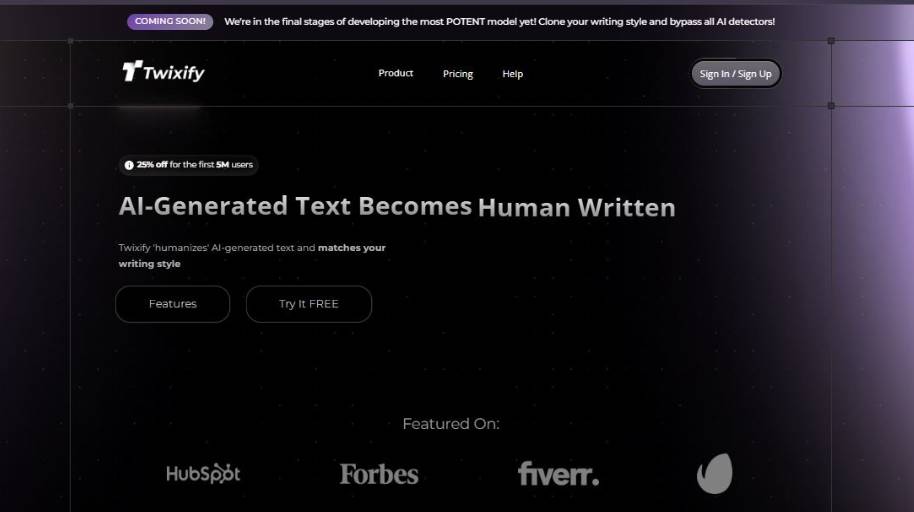
Twixify AI Text Humanizer Explained: A Quick Overview
Suppose you’ve used an AI tool to generate a long email, blog post, or school paper, and the content is clear, but somehow unnatural: too smooth, too perfect, or just not your style. You’re on a deadline to send or publish the content, and you want it to sound more human and personal without having to go through the entire thing and rewrite by hand.
You can copy and paste your AI generated content into Twixify and ask it to make the content sound more human; that is, rewrite the AI generated content to sound more like something you would have written.
Twixify works in this context as a tool to go between AI generated text, and content that is good enough for other people to read. Rather than forcing you to manually go line-by-line to make tweaks to tone and wording, Twixify does that for you, and attempts to give you something that sounds more natural, and more like a human wrote it. This process makes it easier to use AI generated content, and get it to a place where you feel comfortable sending it to coworkers, a teacher, a client, or just publishing it online for anyone to see.
The practical process for users is to copy the text they want to improve into Twixify, select some options (e.g. the desired tone and style), and then review the output. The intent isn’t to add words, but to make the content sound less robotic, and more like a human would have written it.
Twixify AI Text Humanizer Pros and Cons
- Making the text sound more human
- Being able to adjust the tone
- Making it harder for AI detectors to determine if a text is AI-generated
- Preserving the original text’s intent and flow
- Availability in multiple languages
- Not being able to address problems in the source text
- Needing to edit the text after generation
- Loss of control over some micro-copy
Twixify AI Text Humanizer Comparison
| Tool | Primary Focus | Best For | Strength | Limitation |
| Twixify AI | AI text humanization | Users refining AI drafts | Makes text sound more natural and less robotic | Not focused on detection scoring |
| Humanize AI | AI rewriting | Quick human-like rewrites | Simple interface and fast results | Limited tone control |
| Undetectable AI | Detection avoidance | Users concerned about AI flags | Strong focus on bypassing AI detection patterns | Output may need extra editing for flow |
| Phrasly AI | Academic-style humanization | Students and structured writing | Maintains clarity while reducing formulaic patterns | Less suited for casual content |
Twixify AI Text Humanizer in Real-World Scenarios

The people that can benefit the most from Twixify are: Students who use AI tools to write their first drafts. Sometimes, AI-generated text sounds too professional, repetitive, or clunky. Twixify can help you create a more human-friendly version of the text that says the same thing.
- Freelance writers who write articles using AI tools. Some content written by AI tools sounds generic. Twixify can help you tweak the language and sentence structure so the content is written in your style.
- Non-native English speakers who have no problem explaining their topic, but struggle to articulate their thoughts in English. Twixify can help you rewrite the content to make it sound more natural.
- Bloggers and content publishers who write their articles using AI tools but are concerned about being detected by AI detectors. Twixify is really good at minimizing AI patterns in your writing.
- Business people who write formal letters, emails, and reports using AI tools. Sometimes, the text sounds too formal and awkward. Twixify can help you humanize your writing.
In summary, Twixify is perfect for anyone who has already written their text (maybe using an AI tool) and needs to humanize it, make it less repetitive, and easier to read.
Twixify AI Text Humanizer Review Summary
You might find Twixify useful if the content is correct, and the only problems are that it’s a bit awkward, the wrong tone, or too repetitive. This is a quick way to get an AI draft to sound more like a human wrote it without having to heavily edit or rewrite everything. It could be a big time-saver for students, marketers, writers, and anyone else who needs to create a lot of content with AI.
The tool works best when the AI text makes sense, and the facts and arguments are correct. While it does a great job of tweaking the language, it’s not going to help you with fact-checking or tightening up your argument. Depending on the complexity and importance of what you’re writing, you may still need to have a human review it.
It might not be suitable for very technical or formal documents, and if you need to have a very specific voice or style.


