

- Total visibility and proactive notifications
- Ease of use and centralized access
- Remote access and flexible storage
- Support and feature responsiveness
- Interoperability and scalability
- Possible hardware and setup issues
- Access and login issues
- Performance and stability issues
- Cost and resource considerations
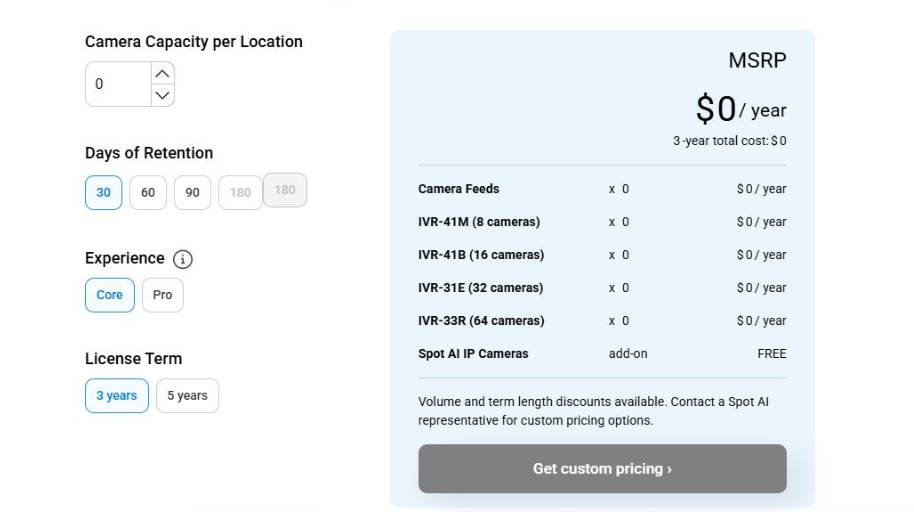
Spot AI Operations Assistant Pricing
Understanding Spot AI Operations Assistant and Its Purpose
For example, you could be the facilities manager at a warehouse, trying to juggle dozens of security cameras and review the daily footage to identify safety hazards and potential production stoppages, but it’s too late, you could only do something about it after it happened. What you need is a way to continuously monitor what’s happening, and send you alerts to help you find the time to do something about it when it’s not your whole job to just sit in front of a bank of monitors.
That’s what Spot AI does. It lets you connect up cameras you already have to a platform that monitors for activity and behavior and helps you identify what you need to focus on in the footage. That can include sending you alerts about something out of the ordinary that happened on a production line, or automatically flagging potential safety issues for you to review.
It’s meant to help you get more use out of cameras you already own, and get more done in the time you have. So in practice, Spot AI could be connected to a series of cameras monitoring a factory floor, sending an alert when there is a process bottleneck. Or it could be used on a job site to alert a supervisor to a safety risk. Or it could be used for quality control, by monitoring a production line and alerting when products are coming off the line with errors.
The key is that the AI can monitor for anomalies and alert you, so you don’t have to take the time to review all the footage.
Spot AI Operations Assistant Target Audience
Ideal Candidates for Spot AI
While Spot AI may offer the best combination of video AI technology and operational insights for some teams, it may not be the best solution for every team. Recognizing its unique value proposition can assist teams in making an informed purchasing decision.
With proper fit
Video analytics use cases in operations-heavy spaces with cameras (or adding cameras soon)
If you use cameras to observe and monitor physical locations – whether that’s a factory, distribution facility, storefront, or any other type of operations-heavy business with a few or a few hundred locations – you may be a good fit for Spot AI because of its emphasis on making video recordings useful as a data source and sending alerts. This helps make operations teams more efficient because they can just look at what’s happening in their business, as opposed to searching and looking for the right video.
For teams looking to enhance safety, compliance, or productivity
If your work involves enhancing workplace safety, detecting process violations, or reducing the time and effort involved in an investigation, the analytics and notifications provided by Spot AI can help you understand what’s going on at the site. The AI can identify trends and exceptions that you can’t afford to overlook.
Multi-site or remote monitoring locations
Spot AI is a good fit if you don’t have on-site staff for monitoring, or if you need to monitor several different locations from a remote location, as the dashboard consolidates footage and analytics from multiple cameras in the cloud. This can make it easier to coordinate and may eliminate the need for local DVRs or in-person monitoring.
Places where it may not serve as well
Tiny businesses who need less security & analytics
If you’re a single location business with 1-2 employees, and you have 2-3 cameras, then a more traditional DVR system that’s focused primarily on recording video and allowing you to review it at the location might suffice for your needs. If you’re not going to leverage analytics and search capabilities other than reviewing the video that was recorded, then Spot AI is going to be overkill.
Non-video use cases
If your business problem doesn’t have a visual component to it – for instance, if you have back office document processing to automate, or are an internet-only company offering a digital service or product, or simply need to focus on automating purely digital processes – then an AI-powered video companion isn’t going to be of much use to you. Instead you’re probably looking for an automation or process mining tool that is geared toward digital data.
Areas with limited or bandwidth-constrained connectivity
If you have a remote site with limited or bandwidth-constrained connectivity, you may need to compromise on cloud-based video analytics. In such cases, if the connectivity is not strong enough, the value of real-time analytics and remote access that Spot AI offers might be compromised, and on-prem analytics offerings might offer a more robust option.
In summary, Spot AI is a great fit for teams that require automated, smart video analysis in a physical environment, especially when it comes to issues of safety, security, and operational transparency. Teams that require very few cameras or have limited physical operations might not find Spot AI the best fit.
Closing Thoughts on Spot AI Operations Assistant
Spot AI is for teams that need to leverage their cameras for operations, safety, and security. Its greatest value proposition is that it can transform passive cameras into a source of active, actionable information. Instead of having to manually review cameras for hours, users can quickly identify incidents, track trends, and resolve incidents. For any operation that has a lot of assets, visitors, and activity (such as warehouses, retail, factories, and construction sites) that capability can add important visibility and responsiveness.
When does it make sense to use Spot AI? It makes sense to use Spot AI when your operation has a defined process and cameras are in place. It’s most valuable when teams require some structured supervision, incident tracking, or faster access to evidence. The ability to search, annotate, and analyze video saves time and can facilitate better record keeping and informed decision making.
When doesn’t it make sense to use Spot AI? It doesn’t make sense when your camera infrastructure is limited, there isn’t a defined workflow, or your team isn’t ready to adopt AI-powered supervision. Like any system that depends on camera data, its utility is only as good as the camera deployment, the quality of data, and your ability to take action on alerts.
When to use Spot AI In summary, Spot AI is a good choice for teams that want to extract more utility out of their existing camera deployments and integrate cameras more into their operations. For teams that are prepared to leverage cameras as a tool for supervision rather than simply a recording device, it can offer an important source of operational clarity.