

Core Features and Capabilities of Edpuzzle AI Quiz Maker
To further facilitate this process, teachers can upload their own video content or use video content from various sources like YouTube or other educational video libraries. The option to import video from various libraries simplifies the video creation process by avoiding the need to recreate videos from scratch.
Embedded Questions. The teacher can have a question, multiple choice question, open-ended question or comment embedded within the video at certain times.
AI-Generated Questions: Edpuzzle’s AI can generate questions for you based on the content of the video. This is a huge time-saver for teachers when creating assessments.
Real-time feedback is available for students as soon as they answer the questions. It allows them to identify where they went wrong.
These elements aid in keeping students engaged throughout the lesson.
Prevent Skipping: Instructors can prevent users from skipping through the video. This is useful for ensuring that students watch an entire lecture.
Interactive Checkpoints: Students must answer questions before the video will continue playing to ensure they are actively engaged and not simply watching the videos.
Self Paced: Students work at their own pace to finish lessons. Accommodates varying learning requirements.
Tracking – The teacher can track whether or not the student has viewed the video and answered the questions.
Student Responses & Scores: Edpuzzle will display answers, scores and correct response rate. This allows teachers to gauge whether students are struggling with a particular topic.
Data: Time spent on a lesson, did they watch again, etc. to give teachers some data on student learning habits.
• Class and Student Setup: Instructors can set up classes and assign video lessons to students.
Integration with Learning Management Systems (LMS) Edpuzzle integrates with platforms like Google Classroom, where teachers can share and assign lessons directly from classroom tools.
Managing Student Accounts and Access Control Educators can manage student access to particular courses and monitor student progress, class by class.
Lesson Sharing Instructors can share lessons with one another or use lessons from the Edpuzzle community.
Save Time with Reusable Templates: Lessons can be duplicated and edited, allowing you to reuse your work when teaching the same lesson.
How to use Edpuzzle AI Quiz Maker

Edpuzzle AI Quiz Maker Explained: A Quick Overview
A video-based quiz and assessment tool, Edpuzzle is a tool used in the EdTech and digital assessment market. Edpuzzle enables instructors to add quizzes to a video lesson. Instead of a tool that creates a traditional quiz, Edpuzzle is a tool that adds questions to a video lesson.
Instead of having to create a quiz and giving it to students after they’ve watched a video, teachers can use Edpuzzle to assess students’ learning as they watch.
Edpuzzle is an example of an interactive learning tool used for formative assessment and student engagement that is also used alongside other tools such as digital content creation and classroom management tools. Edpuzzle’s primary use is to convert video lessons into interactive learning activities that can be tracked to monitor student participation and learning.
Key Benefits and Drawbacks of Edpuzzle AI Quiz Maker
- It fosters participatory learning It fosters participatory learning
- Edpuzzle allows teachers to add questions, notes, or voiceovers to the video, which encourages participation and enhances engagement during class
- It is simple and can be implemented using any video
- Assessment and monitoring built-in Edpuzzle is capable of monitoring students’ progress, answers, and completion of the video
- Promotes autonomous learning Edpuzzle can be used to assign homework or independent work to students
- Integration with other tools Edpuzzle is integrated with LMSs and allows teachers to assign, share, and monitor Edpuzzles
- Limited storage and options on the free version
- Limited question types
- Technology can hinder implementation
- Steep learning curve
- Not conducive to academic gains
Explore Alternatives to Edpuzzle AI Quiz Maker
While Edpuzzle is an AI quiz maker for creating video lessons with questions, there are other digital assessment and learning technology tools that you might want to use for other reasons.
They can be divided into tools that offer different ways of generating quizzes or different methods of content delivery, or they can offer different features to the assessment process. You might want to use them for different purposes, or perhaps you prefer different types of content.
While Edpuzzle is an AI quiz maker for creating video lessons with questions, there are other digital assessment and learning technology tools that you might want to use for other reasons. They can be divided into tools that offer different ways of generating quizzes or different methods of content delivery, or they can offer different features to the assessment process. You might want to use them for different purposes, or perhaps you prefer different types of content.
Dedicated AI Quiz Generators
These are tools that attempt to automatically create quiz questions from a text, document or some other source.
What they offer: Most single-function AI quiz tools provide text boxes where you can paste text, upload documents, or enter topics to automatically generate questions, as well as support for multiple question types (e.g., multiple choice, short answer, true/false), and, in some cases, question banks and automatic grading.
Why someone would choose to use these tools over Edpuzzle: If you have texts that you want to generate quizzes from quickly, these might be the tools for you. They are not video-based in the same way Edpuzzle is.
General Online Quiz and Test Tools
These services are built to create, distribute and host quizzes outside of a video.
What they provide: Basic platforms offer tools for creating quizzes and sending them to users. Platforms often offer more sophisticated assessment tools like automatic randomization, detailed results, and weighted scoring.
Why people might use them: If a user needs a more formal approach to quizzing, assessment and examination, they may use a 3rd party tool. These are used for a wide range of exams, quizzes and assessment that are not necessarily attached to a video lesson.
Student Response and Online Presentation Systems
These tools integrate quizzes with either live or presentation-based learning.
What they provide: Technologies that can be embedded in slides, lectures or presentations to add in questions. Some technologies allow for real-time polling, response from the audience, and monitoring of engagement.
Why people might use them: They are helpful for teaching live — in a classroom, in a webinar, in a class, in a training. If you are mostly concerned with live interaction and not so much with creating videos, this is the way to go.
LMS platforms that have quizzes built into them
There are LMS that have built in quiz design and testing capabilities.
What they provide: Tools to create a quiz, teach a lesson, manage a course and monitor student progress, all in one system. The quiz tool is part of a course management process.
Why users might prefer them: If users want to create and organize full courses which include lessons, assignments, and quizzes, they might prefer the LMS tools. These tools offer a more general course management approach rather than specifically targeting video engagement.
Video Platforms with Wider Content Authoring
Like these, they offer interactive video, but may have additional multimedia and/or instructional design functionalities.
What they provide: Interactive video authoring tools enable you to insert questions, branches, hotspots and other interactive elements into videos. Some enable simulations or sophisticated learning paths.
Why you’d consider these alternatives: Edpuzzle may not be the best choice if you want to add more dynamic video interactions, tailored learning journeys or media assets. They might offer more flexibility for corporate learning, training for professionals, or bespoke learning design.
What You Can Create with Edpuzzle AI Quiz Maker
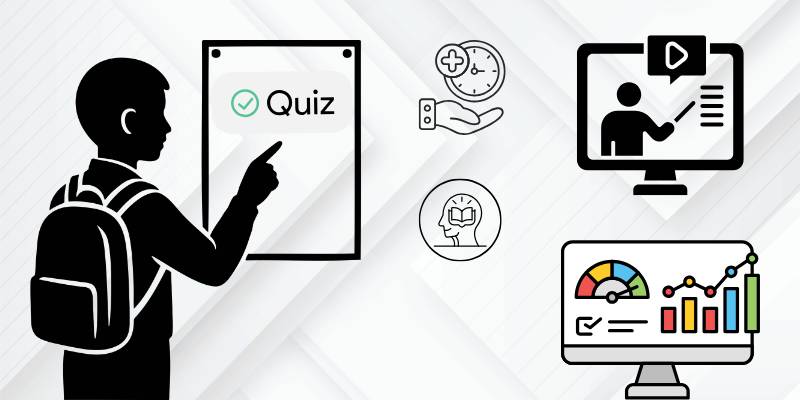
Edpuzzle is used by teachers and instructors to convert video lectures into lessons with assessment integrated into the content. The following scenarios depict everyday problems and real results obtained with the application.
1. Keeping Students On Board with Video Lectures
Challenge: Student compliance and engagement with video lessons can be hard to monitor. With traditional video assignments, you can’t easily tell if students have actually viewed a video or not.
With Edpuzzle: Edpuzzle inserts questions into the video, and monitors whether students have watched and answered them. This way you are guaranteed student participation, it helps keep them attentive until the end of the lesson, and you know they have done the work.
2. Monitoring Students’ Progress While Teaching
Problem: Instructors often want to gauge how students are performing during a lesson, but the quizzes are available only after the lesson has closed, making it difficult to provide timely feedback.
With Edpuzzle: You can add questions within a video and get instant feedback. Teachers can pinpoint knowledge gaps more quickly and differentiate instruction accordingly.
3. Time Saver in Generating Quizzes
Problem: Manually generating quiz questions for each lesson takes a lot of time when dealing with a lot of content.
What I can do with Edpuzzle: Edpuzzle’s AI question generator generates questions based on the video. This means that it saves me time grading but I can still edit the questions.
4. Flipped Classroom Model Use
Challenge: In a flipped classroom model, students are responsible for learning foundational knowledge on their own before coming to class. Teachers do not always have the ability to verify that students have completed or successfully learned the assigned content.
Edpuzzle: Teachers can create a lesson with a video and ask students to complete it as a homework assignment to allow time for class discussion. Teachers can check answers and homework completion.
5. Student Progress and Performance Monitoring
Challenge: It is not easy to keep track of students’ work if there are no monitoring mechanisms when teaching through video.
Edpuzzle Result: The reports of answers, grades, and completion that Edpuzzle generates are useful to see which students need help and to track class progress.
6. Remote and Asynchronous Learning Support
Problem: Engagement and participation can be difficult for instructors to monitor in distance and asynchronous classrooms.
What can I do with Edpuzzle: Students can work through interactive video lessons on their own, and teachers can keep track of how well students participated and did on the lesson. This is great for students to stay on track when doing classwork or homework.
7. Reuse and consistency of learning content
Challenge: Developing common course materials from one class to the next or from one semester to the next can be labor intensive.
Result with Edpuzzle: Instructors can share and re-use video lesson plans with quizzes, which can lead to more uniform teaching and less time spent preparing for the same course the following year.
Edpuzzle AI Quiz Maker Review Summary
This is the tool of choice if you need a tool to transform videos into trackable quizzes and you likely use a lot of videos in your teaching, like flipped classrooms, online courses, and distance learning programs. It’s also a good choice if you want to use Edpuzzle as a formative assessment tool to monitor student engagement and progress.
Edpuzzle is a good choice when you want to integrate video delivery with quizzes and you need to be sure students actually watch your videos. It’s also a good choice when you need to monitor student progress but don’t need an LMS.
If you want to create quizzes from text, create a formal exam with a lot of assessment features, or deliver a full course, you should consider other tools. If you don’t need to integrate quizzes with videos, if you need advanced assessment features, or if you need a tool for full course delivery, you should consider another tool.
What do you do next? You need to determine if video is a critical component in your teaching and whether or not you need assessment built into video. If yes, Edpuzzle might be your tool. If not, you might need another type of quiz or learning management tool.